Experience portal
See the lab before you buy it.
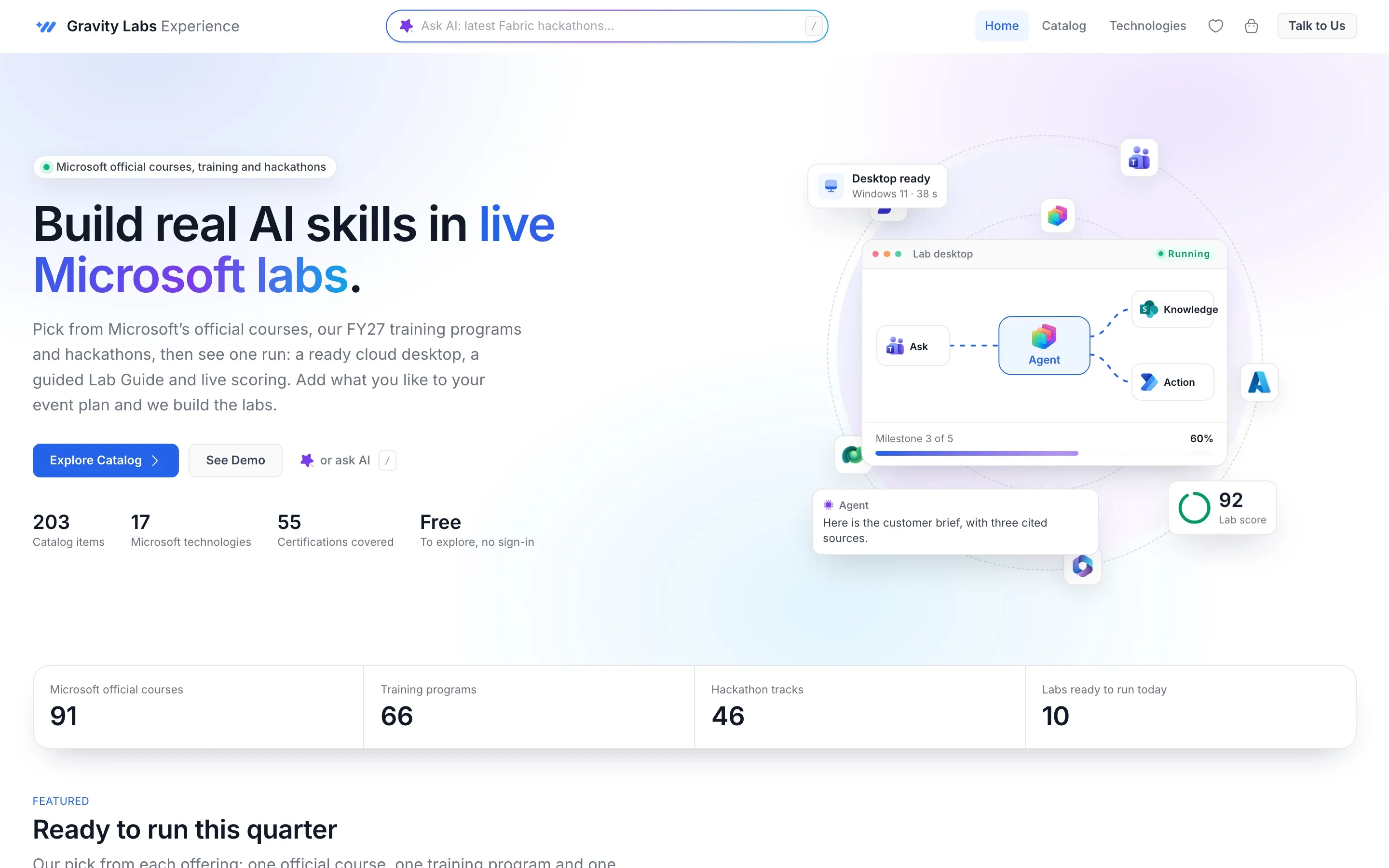
How it works
From browsing to a booked event.
- 01
Browse
Filter by type, technology, level and format, or just ask in plain words.
- 02
Preview
Open the lab exactly as a learner sees it, with the Lab Guide beside it.
- 03
Plan
Add labs to an event plan with dates and seats.
- 04
Send
Download the plan as a PDF. We build, test and run the labs.
Catalog
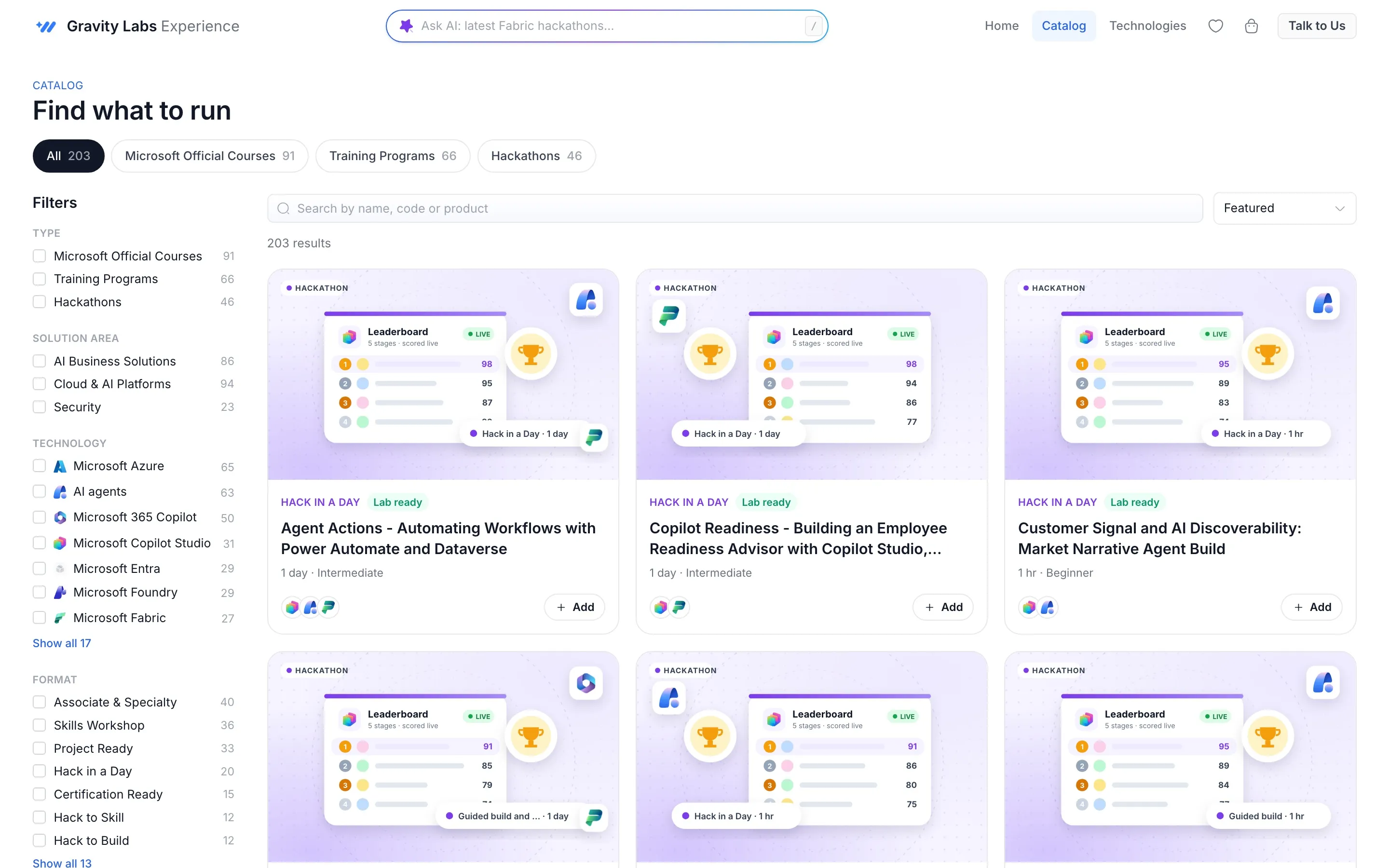
Courses, trainings and challenges, side by side.
Every item shows its format, length, level and the skills it covers. Filter fast, sort by what matters and save favourites to a wishlist.
- Courses build toward certifications
- Trainings run over days or weeks
- Challenges for teams, with live scoring
Lab preview
Open the lab. No sign-in.
The preview shows the real workspace: milestones, step-by-step instructions and the lab desktop. It is the fastest way to know a lab is right for your people.
Open a lab preview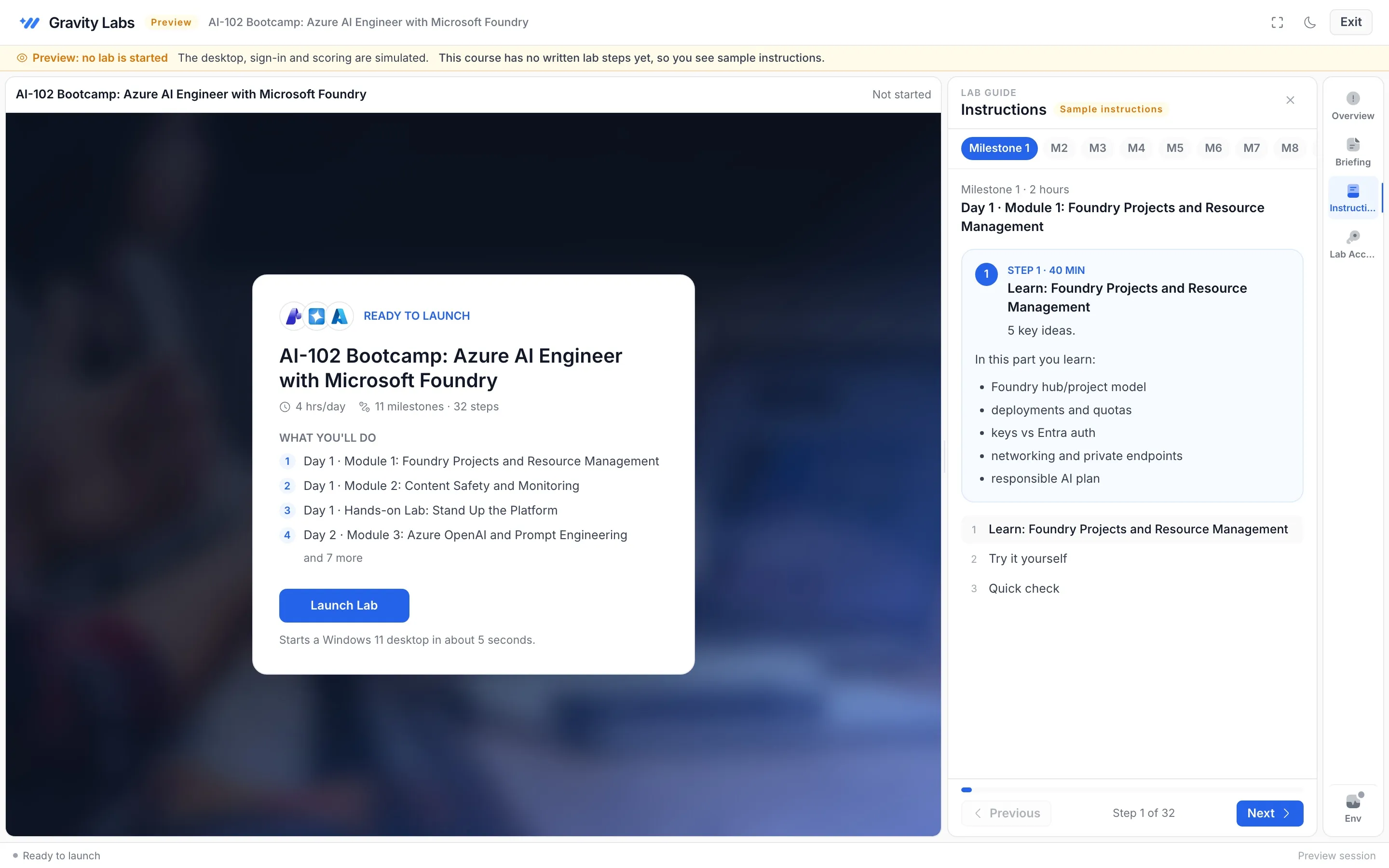
Ask in plain words
Type what you need and the portal turns it into the right filters.
Wishlist
Save labs as you browse and come back to them later.
Event plan PDF
Share a clean plan with seats and dates with your team.
FAQ
Questions people ask
Is the Experience portal free?
Yes. Browsing, previews and event plans are free and need no account.
Is the preview a real lab?
The preview shows the real workspace and instructions with a simulated desktop, so you can explore without starting a lab.
What happens after I send a plan?
We confirm the details, build and test the labs, and get your event ready to run.